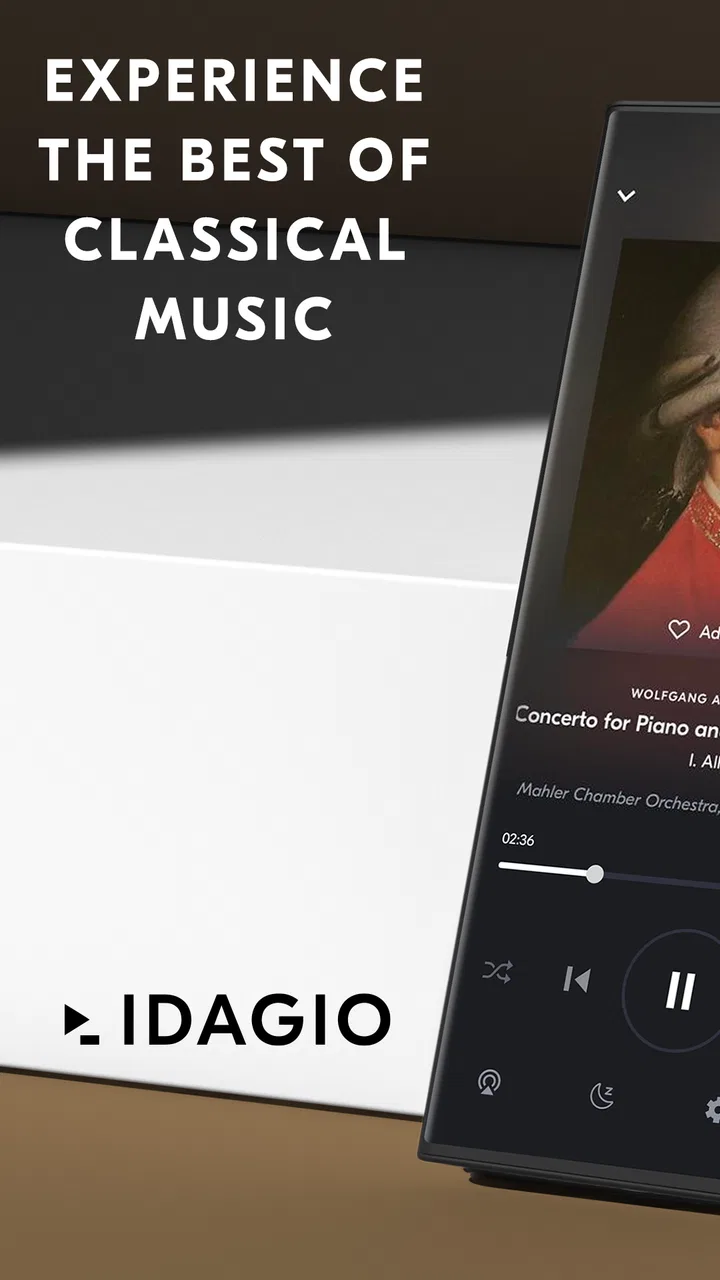
IDAGIO Stream Classical Music
- 3.4
- Rating
- 500.00K
- Installs
- Free
- Price

 Analysis by App-foxy
I spent time with IDAGIO Stream Classical Music as a focused listening app rather than treating it like a general-purpose music service. That distinction matters. This is a free Music & Audio app from Classical Music Streaming - IDAGIO, built around classical recordings, playlists, concerts, and a player that tries to make a large repertoire easier to explore. I found it most convincing when I already knew the kind of listening I wanted, but it also gave me useful ways to move from a composer or work I recognized toward something unfamiliar.
The app is available to everyone by age rating, runs on Android 8.0 or later, and has reached over 500 thousand installs. Its average score is 3.4 from around 3.9 thousand ratings, which suggests a mixed experience rather than universal approval. That matches my impression: the musical focus is valuable, but the experience depends heavily on how comfortable you are with dense information, account-related choices, and a service that is more specialized than a typical all-purpose streaming app.
How IDAGIO works when you need clear, focused classical listening
I’ll focus on what makes IDAGIO useful when I want deliberate, uninterrupted classical listening, including how to choose a recording without turning a short break into a long browsing session. A small routine—deciding on a composer or mood before opening the app—can make its detailed catalog feel much more approachable. From there, I’ll consider whether that convenience holds up over time.
You May Also Like

 Blood Strike: 2.5 Anniversary
Blood Strike’s Loadouts Turn Every Drop Into a Tactical Gamble
A close look at Blood Strike’s custom loadouts: how fast access to signature weapons reshapes its battle royale rhythm, rewards preparation, and narrows the gap between fights.

 Pandora - Music & Podcasts
Pandora’s Music Is Easy to Start, but Harder to Recover
Pandora’s strength is its low-effort path from a seed to a station. Its weak spot is how much confidence it asks you to place in connection, setup, and quiet recovery.

 8 Ball Pool
 Is Built on Rivalries, Rematches, and Routine
A close look at the rivalries, rematches, shared routines, and unanswered safety questions that turn a quick pool match into a persistent mobile community.

 Samsung Music
’s Quiet Strength Is Playing What You Already Own
Its reach comes less from spectacle than from dependable access to a personal library. That simplicity is both the app’s strongest retention engine and its ceiling.

 AccuWeather: Weather Radar
AccuWeather Review: A Quick, Clear Forecast for Everyday Decisions
For everyday plans, the best forecast is the one you can understand quickly. AccuWeather makes rain timing, radar, and local conditions easy to act on, with a few trade-offs.

 Hill Climb Racing
Why Hill Climb Racing Still Turns Crashes Into One More Run
A tiny car, a bumpy hill and one more upgrade: Hill Climb Racing keeps resurfacing because its simple chaos makes every near-miss feel personal.
More From Our News Desk
View All News


Readability and navigation: helpful structure, but a lot to take in
The first thing I noticed is that classical music needs a different kind of organization from ordinary song streaming. A pop search can often succeed with an artist and title. A classical search may involve a composer, a work, a movement, an orchestra, a conductor, a soloist, and a particular recording. IDAGIO’s value comes from treating those details as meaningful instead of flattening everything into a simple track list.
That approach is useful if you want to compare interpretations or find a complete work rather than accidentally starting with one movement. It also makes playlists and concert material feel more relevant to classical listeners. I could approach listening by mood, repertoire, or performance context instead of relying only on an artist page. For someone who has recently started exploring classical music, that can reduce the feeling that the catalog is an enormous, confusing shelf.
There is a trade-off, though. More musical information can also mean more visual information. Long work titles, unfamiliar names, and multiple versions may require careful reading. On a smaller phone, the difference between a composer, a performer, and a recording can take a moment to understand. I would not describe the navigation as difficult, but I would describe it as information-rich. Users who prefer a very minimal interface may find the detail tiring, especially when they are browsing casually rather than looking for a specific piece.
I found it easier to use when I began with a clear intention. Searching for a composer, then choosing a work, was less mentally demanding than opening the app without a plan and scanning through several layers of recommendations. A practical habit is to save or return to recordings as soon as you find a version you like. That avoids repeating the same comparison process later, particularly when several performances of the same work appear close together.
The app’s playlists are also more useful when treated as guided entry points instead of background noise. If I wanted music for reading, concentration, or a quiet evening, a curated starting point helped me avoid spending ten minutes deciding what to play. On the other hand, listeners who mainly want a familiar personal library may find the discovery emphasis less direct than the library experience in a general service.
Text, contrast, and the effort of identifying a recording
Classical listening places unusual demands on readability. The title alone may not tell me enough, so I need to distinguish the work from the movement and the performance. I also want to know who is performing before I commit to a long recording. This makes clear typography and sensible grouping more important than they might be in a basic music player.
In my use, the app felt most readable when I slowed down and opened the full information around a recording. Quick scanning was less comfortable because several entries could look similar at first glance. That is not a problem unique to this service; it is a consequence of presenting classical repertoire accurately. Still, anyone with low vision or reading fatigue should expect that choosing a recording may require more attention than choosing a conventional song.
The key accessibility trade-off is precision versus visual simplicity. IDAGIO’s classical focus can prevent misleadingly vague labels, but the same precision creates longer lines of text and more decisions. I would recommend increasing the phone’s system text size if needed and using the device’s display settings to improve comfort. I would not assume that every screen will remain equally easy to scan after enlargement, so a short trial is worthwhile before making it your main listening tool.
For people who rely on screen readers or other assistive technologies, the most important test is practical: can the device identify the play control, the selected recording, and the surrounding labels in a way that makes sense? I would check those core actions during the first session rather than assuming that a music app’s visual layout will translate perfectly. The app’s age rating tells me it is intended for a broad audience, but that does not by itself guarantee an equally smooth experience for every ability.
Motor and sensory considerations during everyday playback
Once music is playing, the experience becomes less demanding than browsing. This is where the app works well for a person who wants to start a concert or playlist and put the phone aside. A simple listening routine can be especially helpful for users who find repeated tapping tiring: choose the repertoire before settling in, start playback, and avoid unnecessary browsing while the music is underway.
That workflow also suits people with limited dexterity, because it reduces the number of precise interactions needed during a session. I would still avoid depending on frantic controls when listening in a situation where reaching the phone is difficult. Classical pieces can be long, and a small mistake in the player may be more frustrating when the phone is across the room or when the listener is trying not to interrupt a task.
For users sensitive to sudden changes in sound, the safest approach is to begin at a comfortable volume and remain nearby while testing unfamiliar playlists or concerts. Different recordings can have very different dynamics: a quiet passage may be followed by a forceful orchestral section. That is a characteristic of classical music rather than a special defect of the app, but it affects how safely and comfortably the service can be used in headphones, at night, or in a shared room.
Headphone use can make details easier to hear, but it can also increase fatigue. I prefer speakers or a lower listening level during long sessions, especially when reading or working. Someone with tinnitus, sound sensitivity, or hearing-related concerns should treat the app like any other audio source and adjust the device carefully. The focused catalog is an advantage for finding suitable music, but it cannot replace personal control over volume and listening duration.
There is also a social and sensory benefit to concerts and curated listening. A person who does not want to watch a visually busy video platform can use the audio side of the experience and keep the phone screen out of sight. Conversely, viewers who need captions, transcripts, audio descriptions, or detailed visual controls should inspect each concert experience carefully before relying on it. I would not assume that every piece of video-oriented content offers the same support for different sensory needs.
Situational access: where the app fits naturally
A realistic example is a quiet work session at home. I might search for a composer, choose a playlist, and let the music run while I read. IDAGIO is a good fit here because the specialized catalog reduces the temptation to jump between unrelated genres. The app becomes a calm starting point rather than another source of decisions. For someone with attention difficulties, that narrower purpose can be easier to manage than a huge general catalog full of competing recommendations.
It can also suit a learner who wants to hear the same work in different performances. Instead of treating classical music as a single definitive recording, I can compare the character of interpretations and notice how conductor, ensemble, or soloist changes the result. That is a less obvious strength, and it gives the app educational value without requiring a formal lesson. The downside is that comparison demands concentration and may feel like work if I only want effortless background music.
For an older listener or someone new to streaming, the best introduction is not an open-ended tour of every feature. I would prepare one familiar composer, one short playlist, and one known recording. Once those actions feel comfortable, I would explore concerts and recommendations. This staged approach matters because the app’s specialist vocabulary can be rewarding for experienced listeners but intimidating for someone who simply wants “quiet piano music.”
In a commute or public setting, the experience depends on how much attention I can give the screen. Browsing detailed classical listings while walking is a poor idea, and I would choose music before leaving. On a train or in a waiting room, the service can be more practical, provided the listener is comfortable managing headphones and volume. For people who need uninterrupted access in places with unreliable connectivity, I would test their intended routine before depending on the app; a streaming service is not the same as a collection of files already stored on the device.
The free entry point makes trying it less risky. However, in-app purchases range from $0.99 to $199.99 per item, so I would read each purchase screen carefully and decide whether the available listening experience justifies spending. The free label is useful for exploring the app, but it should not be interpreted as meaning that every possible feature or listening path will necessarily remain free.
What may still create barriers
The biggest barrier is not the music itself; it is the amount of interpretation required before pressing play. A person who has difficulty reading small text, processing several names at once, or remembering the difference between a work and a movement may need more time. The app’s specialist design serves serious classical listening, but it is not always the quickest route to a familiar song-like experience.
Another limitation is discoverability for people whose preferences are very specific but not expressed in classical terms. Someone asking for “music without sudden loud sections,” “a short piece for a ten-minute break,” or “something gentle with no vocals” may need to browse and judge rather than rely on a perfect filter. I found that personal experimentation worked better than expecting the service to understand every situational need immediately.
The mixed average rating also makes me cautious about recommending it without qualification. Around 198 written reviews accompany the broader rating picture, and individual experiences can differ depending on device, account state, listening habits, and expectations. I would not use the score as a final verdict, but I would take it as a reminder to test the app’s basic flow early: search, select a recording, start playback, and return to it later.
Version 3.28.0 is the current version I associate with this review, and the app supports Android from version 8.0 onward. That makes it approachable for many existing devices, but compatibility on paper does not guarantee equal comfort on every screen size or with every assistive setup. If the phone is older, I would pay close attention to responsiveness and text scaling during the first few sessions rather than judging the service only by its catalog.
I would also skip it if my priority is a broad mix of chart music, podcasts, radio, and spoken content in one place. IDAGIO’s narrow purpose is exactly what makes it attractive to classical listeners, but it is also why a general streaming alternative may be more convenient for households with very different tastes. Likewise, a listener who already owns a carefully organized local library may gain less from another streaming layer unless discovery and concert content are important.
An inclusive verdict for different listeners
My overall view is positive, with a clear condition: IDAGIO Stream Classical Music is strongest when I want classical repertoire presented as something deeper than a list of tracks. The specialized organization, playlists, concerts, and performance context give it a clear identity. I especially value it for focused listening, comparing interpretations, and introducing a newcomer to composers without throwing them into an entirely unstructured catalog.
From an inclusive-use perspective, it supports several helpful situations naturally. I can set up a session in advance, reduce screen interaction once playback begins, choose audio for quiet work, and use the focused catalog to avoid the distractions of a general entertainment app. Those are meaningful advantages for people managing attention, fatigue, or a busy environment.
It is less convincing for anyone who needs the simplest possible navigation, very large and instantly scannable labels, or guaranteed clarity across every concert and playback context. The detailed classical metadata is valuable, but it asks the reader to process more information. People with motor or sensory needs should test the main controls, text scaling, headphone routine, and volume behavior with their own device and preferences.
Classical Music Streaming - IDAGIO has made an app for listeners who care about the identity of a performance, not just the existence of a piece. I would recommend trying the free version with a familiar composer and one realistic listening routine before considering any purchase. If that first session feels calm and understandable, the service can become a thoughtful companion for study, relaxation, and musical discovery. If it feels like too much reading for too little listening, a broader or simpler player will probably serve you better.
FAQs for IDAGIO Stream Classical Music
01What is IDAGIO Stream Classical Music?
IDAGIO is a music streaming service focused specifically on classical music. Its catalog is organized around composers, works, performers, orchestras, conductors, periods, and genres rather than only individual tracks. This makes it easier to compare different recordings of the same piece, discover lesser-known performances, and explore classical music in a more structured way than on many general-purpose streaming platforms.
02Does IDAGIO offer a free plan or require a subscription?
IDAGIO’s available features can vary by country, platform, and current subscription offers. Some users may be able to access limited listening or trial features, while uninterrupted on-demand playback, offline listening, higher-quality audio, or other premium tools may require a paid plan. Before subscribing, check the pricing, trial terms, renewal conditions, and cancellation rules shown in your local app store.
03Can I listen to IDAGIO music offline?
Offline listening is generally associated with eligible premium access and allows you to download selected albums, works, or playlists before traveling or entering an area with limited connectivity. Downloaded content is normally available only inside the IDAGIO app, not as ordinary audio files. You may also need to reconnect periodically so the app can verify your subscription and downloaded licenses.
04Does IDAGIO support high-quality classical music streaming?
IDAGIO is designed for listeners who care about the details of classical recordings, and supported plans may provide higher-quality audio than standard streaming. The exact quality options depend on the recording, subscription, device, operating system, and network connection. For the best result, use reliable Wi-Fi and compatible headphones or speakers, and review the in-app audio settings before listening.
05Is IDAGIO suitable for beginners as well as classical music experts?
Yes. Beginners can use IDAGIO to browse famous composers, essential works, curated playlists, and recommendations without needing extensive musical knowledge. More experienced listeners may appreciate the detailed catalog structure and ability to compare interpretations by different artists. However, the large number of recordings can feel overwhelming at first, so starting with curated collections or well-known compositions is often helpful.
Pros
- Excellent sound quality
- including lossless and high-resolution streaming options.
- Detailed composer
- performer
- and album information enhances classical music discovery.
- Curated playlists and radio stations make finding suitable pieces easy.
- Offline downloads are useful for listening during travel or without mobile data.
- Clean interface designed specifically for navigating classical music catalogs.
Cons
- Many premium features require a paid subscription.
- The classical catalog may lack some niche or regional recordings.
- High-resolution streaming can consume significant storage and mobile data.
- Some advanced search and filtering tools may feel overwhelming initially.
- Playback and catalog availability can vary by country and licensing agreements.

IDAGIO Stream Classical Music
Gallery